 One Seller Hub
One dashboard for businesses that sell on Amazon
Manage listings, prices, promotions, stock, orders, advertising and profit for your Amazon stores in the US, UK and Germany. Bring your team, and see every account together.
No card needed. Every feature, for 30 days.
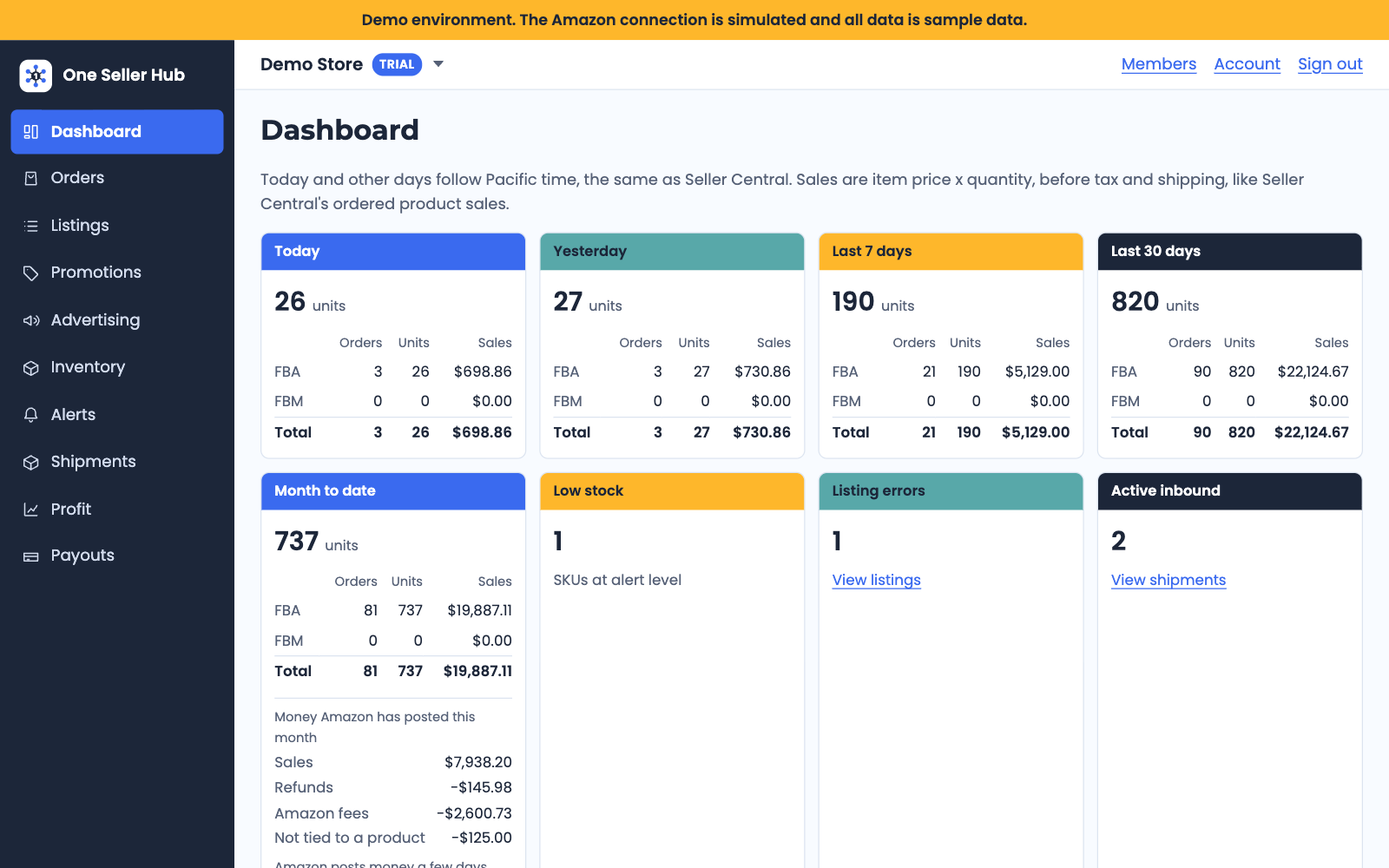
Everything you check each day
Listings
Status and issues for every listing
Pricing
Offers, limits and price history
Promotions
Coupons, deals and discounts
FBA shipments
Stock, inbound plans and drafts
Inventory
FBA and AWD stock, and what to reorder
Orders and alerts
FBM to ship, listing and stock alerts
Profit reports
Per product and per month
Team and accounts
Roles, and all accounts on one page
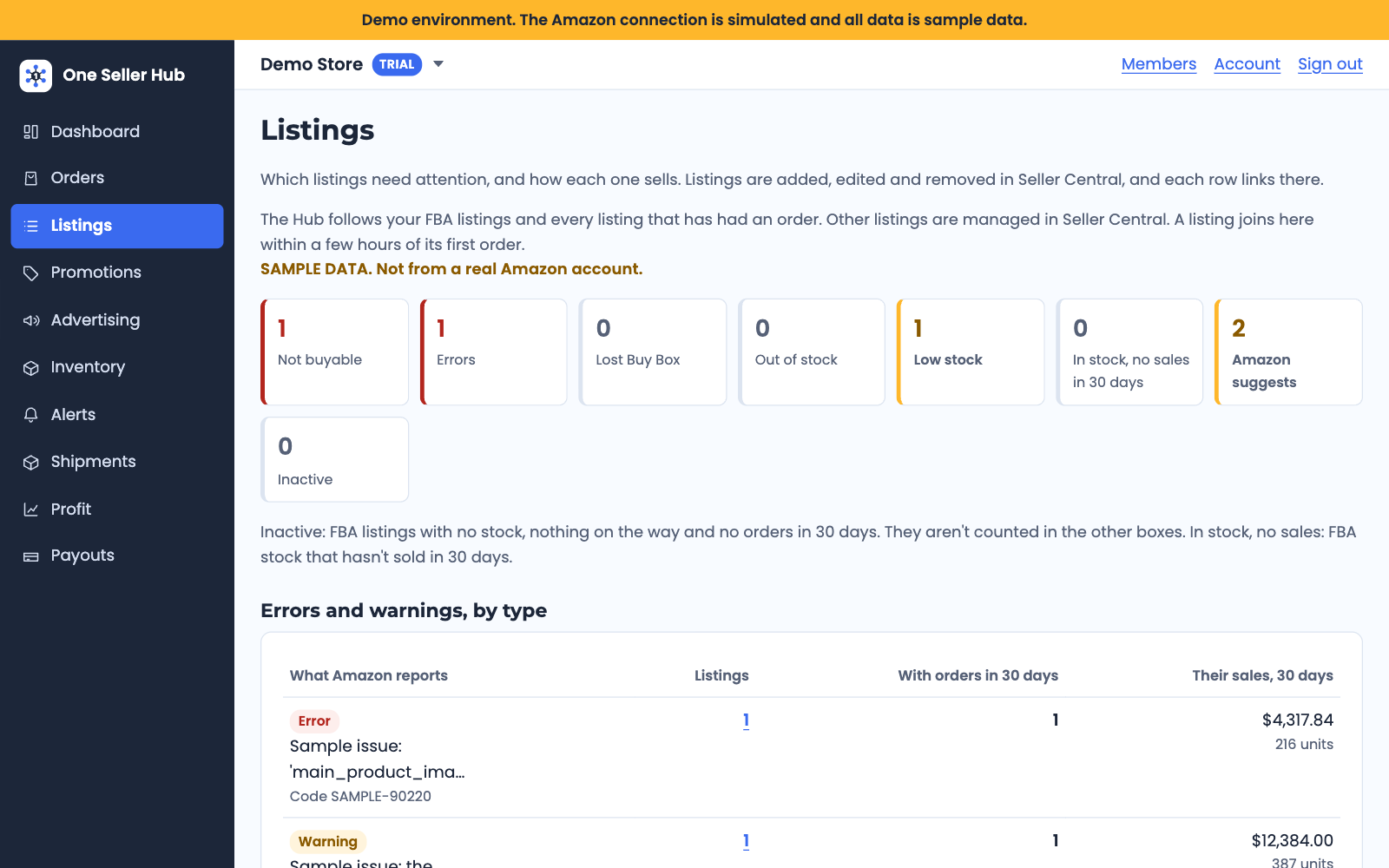
See what needs fixing, and fix it
See each listing’s status and the issues Amazon reports, with severity and message.
- Update titles and prices
- Add an FBA offer for a product already in Amazon’s catalog, using its ASIN
- Create brand-new catalog products in Seller Central
Keep prices inside limits you set
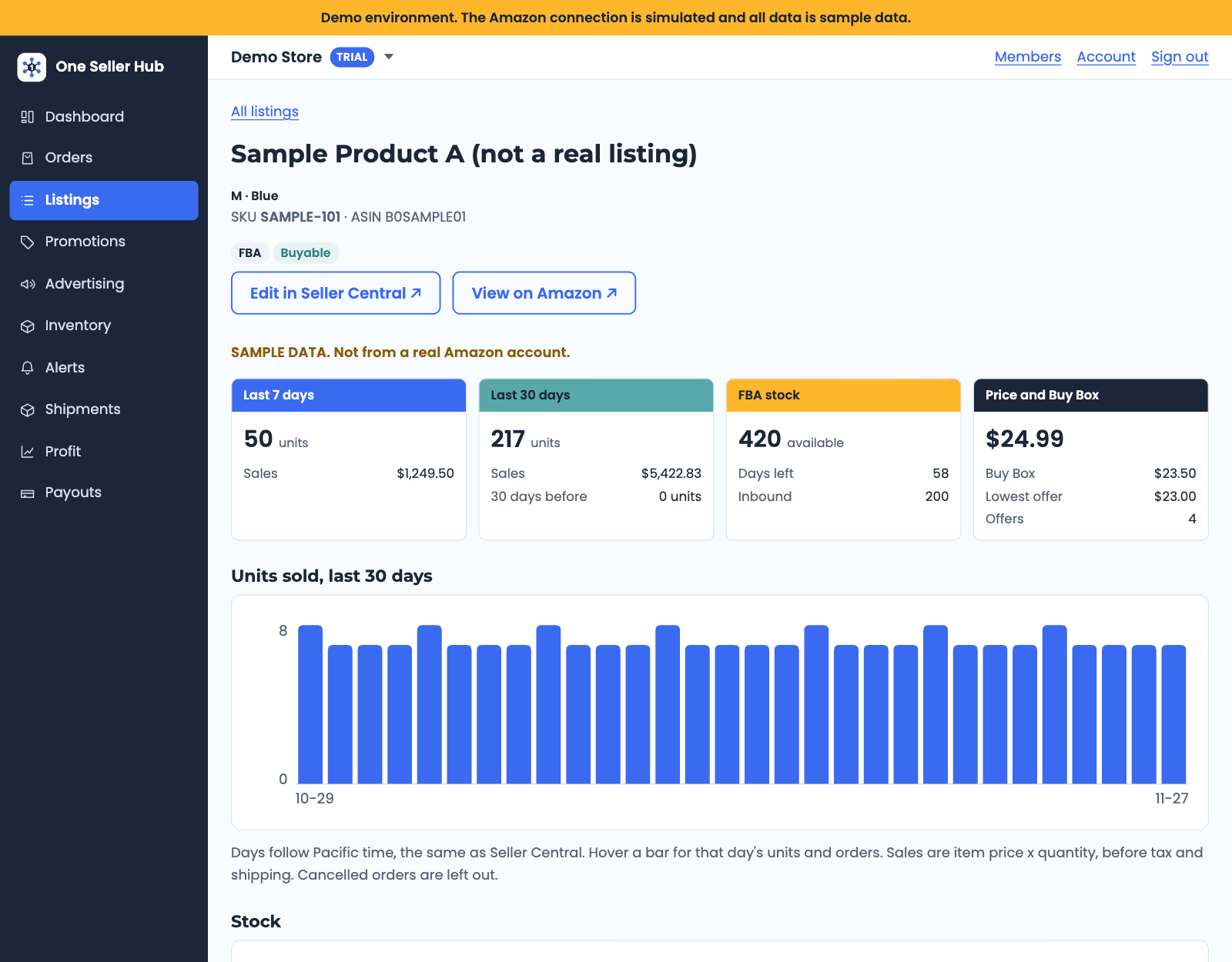
See the Buy Box price, the lowest offer and the number of offers on your own SKUs. Set a minimum and maximum per SKU. Every price change is checked against them and recorded in a price history.
- Automatic changes are off by default
- Opt in per SKU, and they follow the Buy Box or lowest offer within your limits
- At most one automatic change an hour
See your coupons and deals in one place
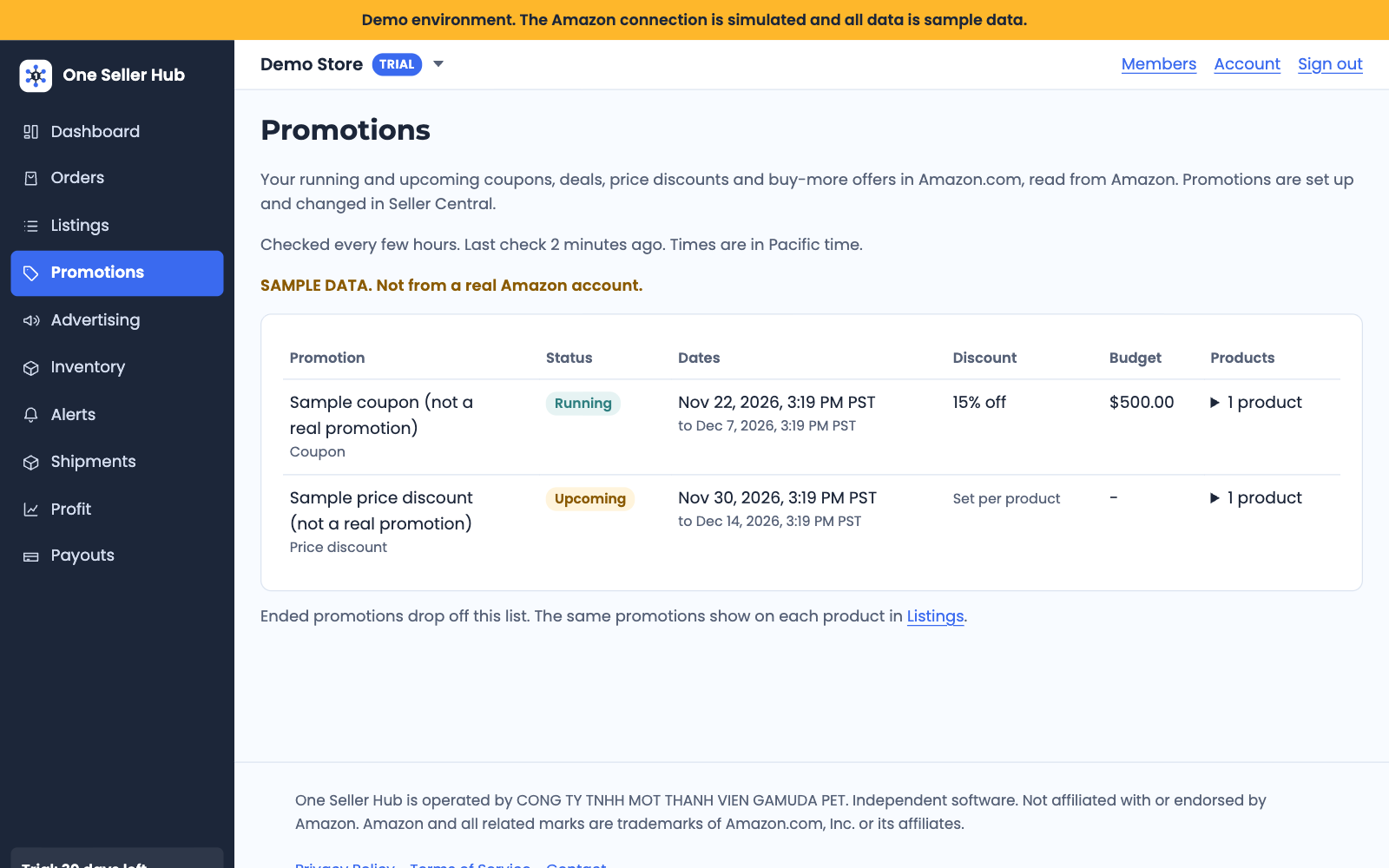
See your running and upcoming coupons, deals, price discounts and buy-more offers, with their dates, discount, budget and the products in each. You set them up in Seller Central.
- Each promotion’s products, with the price or discount for each one
- Promotions show on each product in Listings
- Edits Amazon rejected are flagged, with Amazon’s message
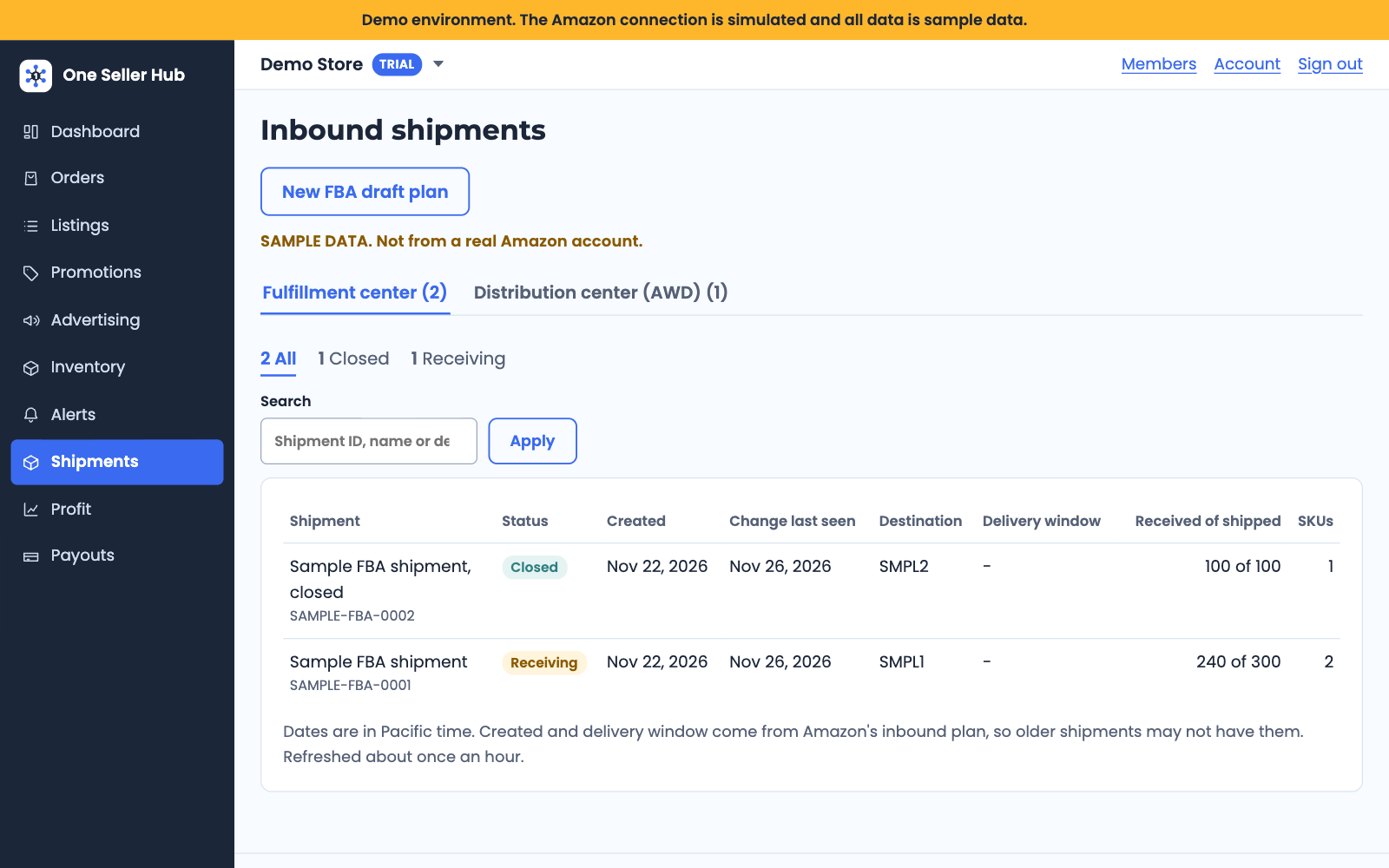
Start inbound plans as drafts
See FBA stock by SKU, follow your inbound plans, and start a draft plan for one SKU.
- Finish packing, placement and transport in Seller Central
- No fees apply until you confirm them there
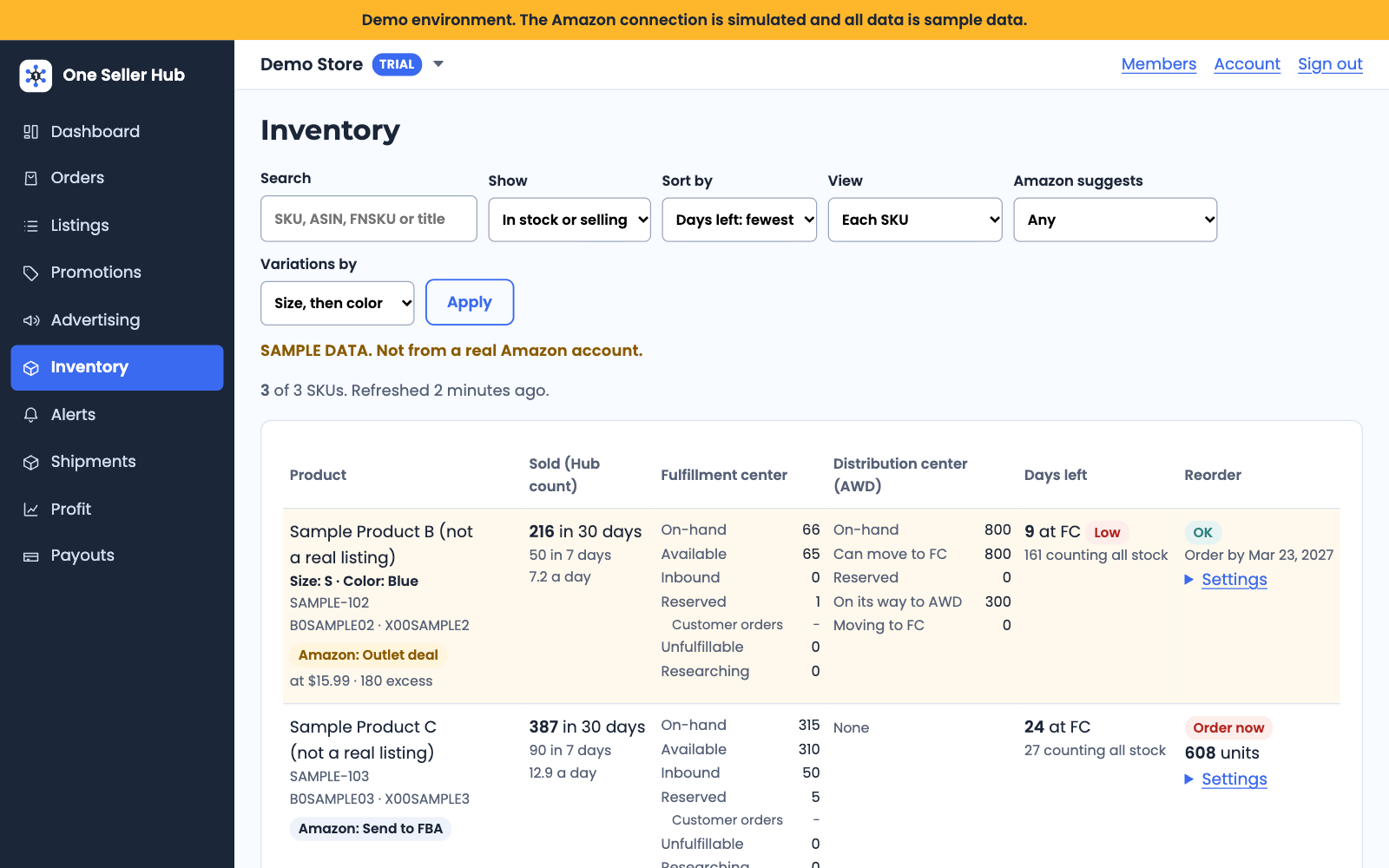
Know what to reorder, and what Amazon suggests
See FBA and AWD stock side by side for each SKU, how many days it will last, and how much to order and when. AWD is shown for the US store. Creating AWD shipments is not available.
- Reorder quantity and date from your own restock time and stock target
- Variations grouped under their parent, sorted by size or color
- Amazon’s own suggestions, such as an Outlet deal at Amazon’s suggested price, or stock due for automatic removal
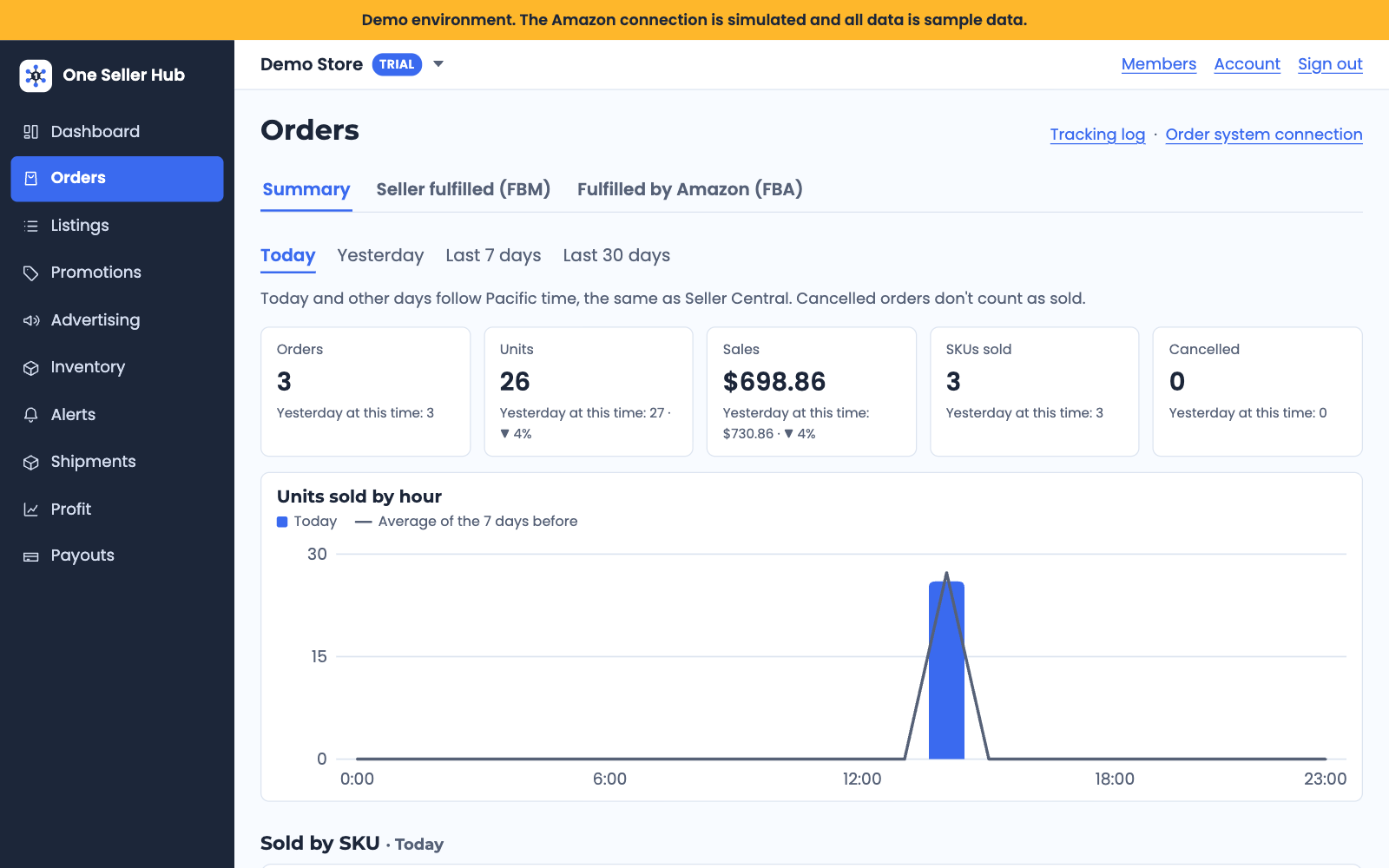
Know before a product runs out, or a listing breaks
See FBA and FBM orders by status. Get alerts when stock runs low, a listing stops being buyable, you lose the Buy Box, or Amazon reports a new error.
- FBM orders close to their ship-by date, with tracking you can send back to Amazon
- Alerts by email, or with details in a Slack channel or Lark group you choose
- Order data holds no buyer names or addresses
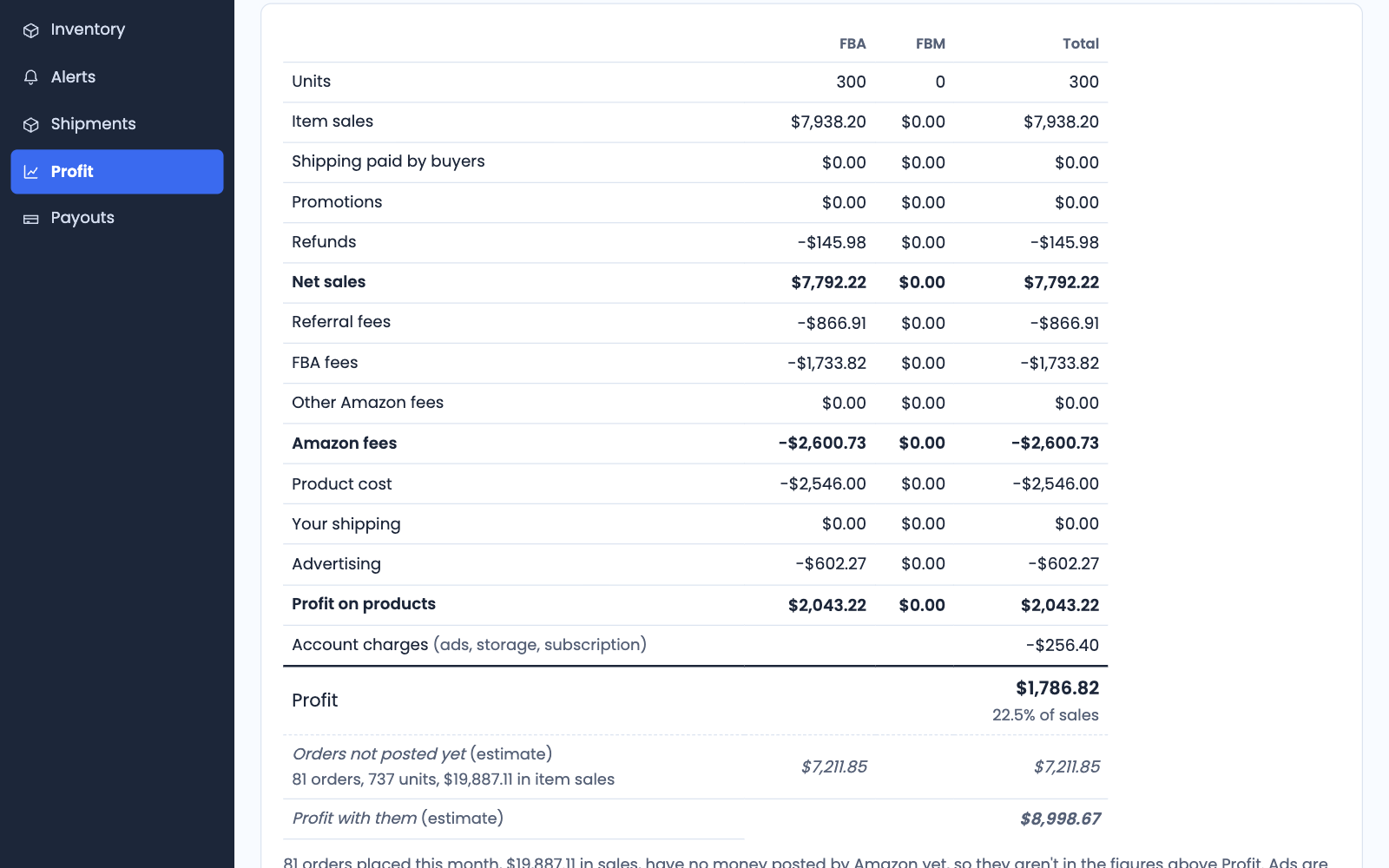
See profit per product and per month
We turn your financial transactions into revenue, Amazon fees and refunds, then subtract the unit costs you enter.
- Ad spend counts on the day the ads ran, per product, once Amazon Ads is connected
- Sales tax is left out, and refunded units keep their product cost
- Net profit is not shown until costs are entered
- Export to CSV, and check important figures in Seller Central
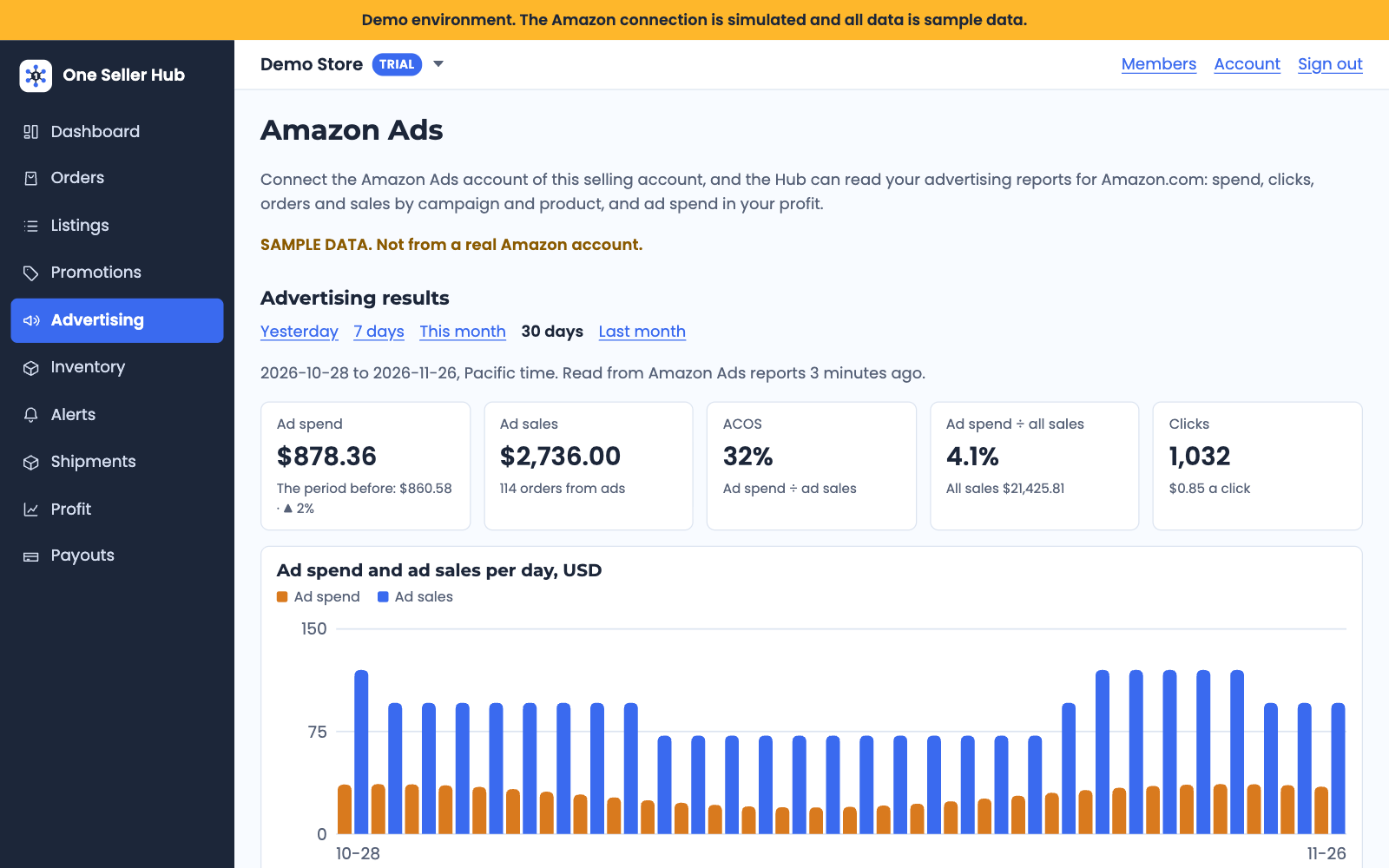
See what your ads earn, per product
Connect Amazon Ads with read-only access. See spend, ad sales and ACOS by campaign, product and search term, and ad spend in your profit.
- Search terms that cost money without orders
- Ad spend as a share of all your sales, not only ad sales
- We never change campaigns, bids or budgets
Bring your team, and see every account together
Invite people by email to a selling account, as a Manager or a Viewer. Each person signs in with their own email and two-step verification.
- The owner keeps the Amazon connection and decides who’s in
- Managers handle prices, listings, costs and shipments. Viewers see everything and change nothing
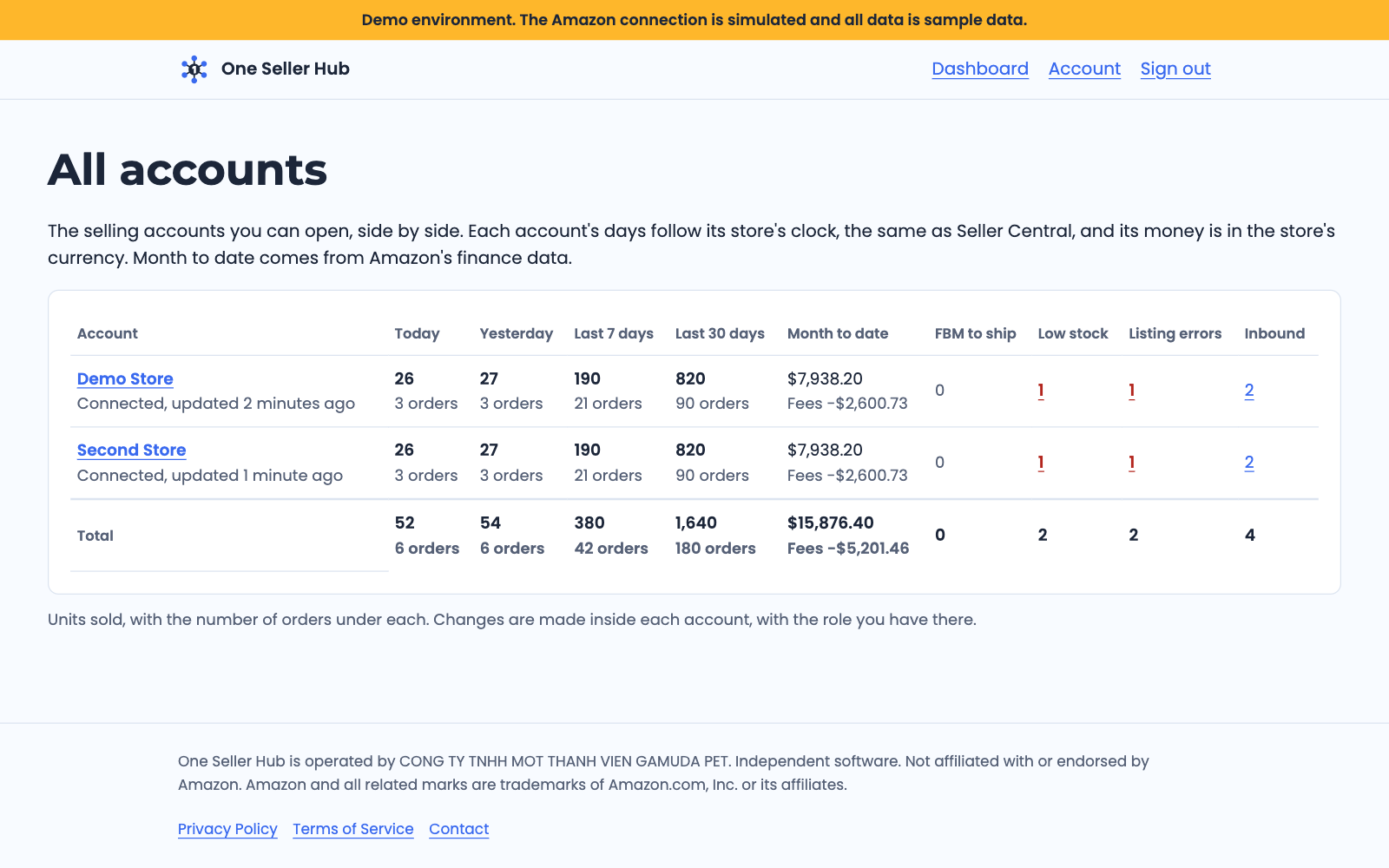
- All accounts: sales, fees, FBM orders, low stock and listing errors for each account you can open, side by side
Data freshness
Orders refresh every 5 minutes. Stock and listing checks refresh every hour, promotions every few hours, advertising reports and Amazon’s inventory suggestions once a day. Everything else refreshes about every 6 hours, or when you choose Refresh data. Large accounts may show a note that figures are partial.
How it works
Or try the demo with sample data first.
Create an account
Start your 30-day trial and turn on two-step sign-in.
Authorize your account
You grant access using Amazon’s standard authorization. We never ask for your password, and you can revoke access at any time.
Work from one place
Your data appears in your own private workspace.
Your data stays yours
Only you and the people you invite see your account’s data.
We do not request or store Amazon buyers’ personal information.
Data is encrypted in transit and at rest, and access to our systems is limited to approved people.
We do not sell your data, combine it with other sellers’ data, or use it for our own Amazon business.
Disconnect at any time, and your Amazon data is removed.